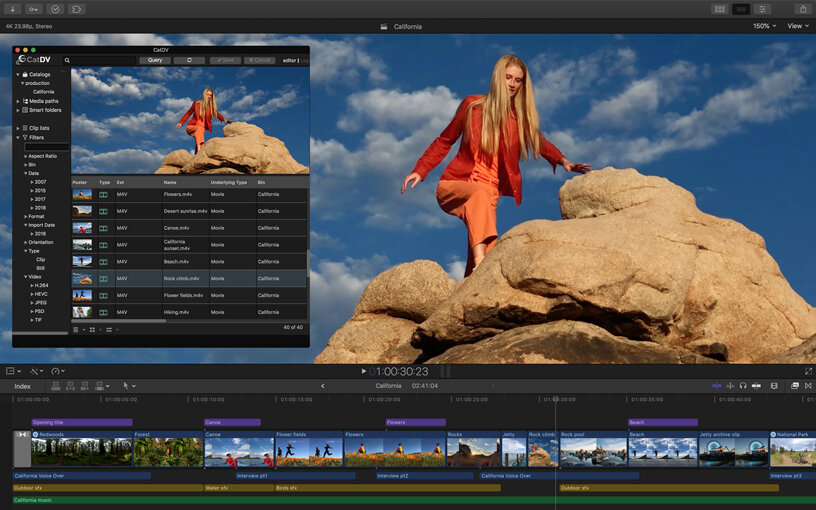
Basic Editing in Final Cut Pro X

introduction-to-final-cut-pro-x-editing-tips-and-techniques-3-638.jpg

Lesson - Into to Basic Editing in Final Cut Pro X

Assignment - Watch this video. Then be able to complete each of the following tasks:

1) Open Final Cut Pro

2) Create New Library

3) Create New Event

4) Import Footage

5) Create New Project

6) Place Footage into the Timeline

7) Adjust Audio of your clip

8) Import Music and place in the timeline

9) Make a cut to your footage, apply effects to that clip, and add fast or slow motion

10) Add Transitions

11) Add Text/Titles

12) Share/Export your movie


Resources

Need more help? Click on one of the additional tutorial videos below.


If this video was still too hard for you to follow after rewatching, then you should start with Imovie. Level 2 - My Top ten shortcuts - https://www.youtube.com/watch?v=Mx_yuVfbv88 Level 3 - Built-In Effects https://youtu.be/cEhgveyPPKY 1. Final Cut Free Trial - https://www.apple.com/ca/final-cut-pro/trial/ 2.
There are many functions in Final Cut Pro Ten that you should learn if you want to improve your editing skills, but you still need to start with the basics. Even putting items into the timeline can be confusing if you're not sure what you're doing, so here are the editing basics in Final Cut Pro Ten.